How Can You Restore and Maintain Your Homepage Settings in SharePoint?
I suspect your homepage has been moved and reassigned. The homepage is linked to the identity of your community, making it searchable. If it is renamed, moved, or reassigned, it may cause issues with your pages and their interlinking.
The community ID, which is the unique identifier number of your GCX community found in your community's URL.
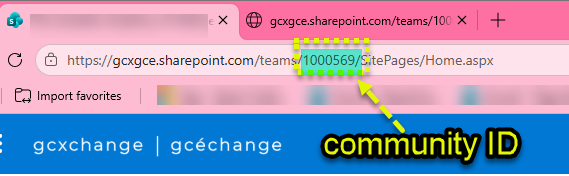
To avoid such issues, it is highly recommended to maintain the default settings, especially for critical areas like the homepage. Ensure that visitor access remains intact, as it is designed to be accessible by default.
If you have deleted the Home page please immediately restore it from your recycling bin.

or
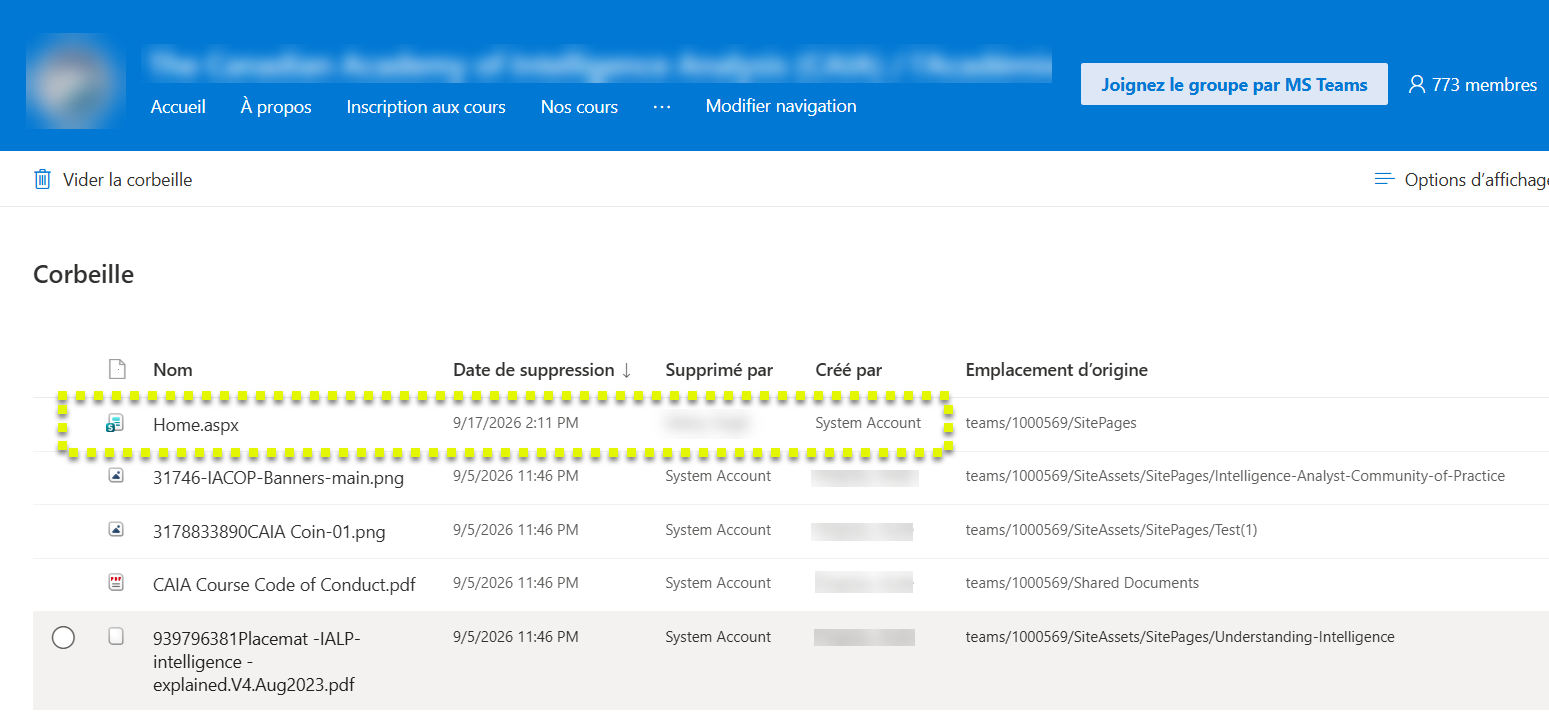
Steps to reset your homepage to the default:
- Go to site contents:
https://gcxgce.sharepoint.com/teams/EnterCommunityID/SitePages/Forms/ByAuthor.aspx

- Navigate to site pages.
- Find system account.
- Select home.aspx.
- Click on the three dots.
- Choose make homepage.
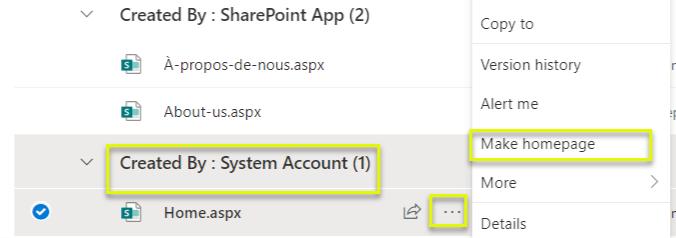
Important Note: Anything under the system account and SharePoint App, including the home page, should never be deleted.