Reached out to your IT and asked them to uninstall and reinstall your Teams desktop app.
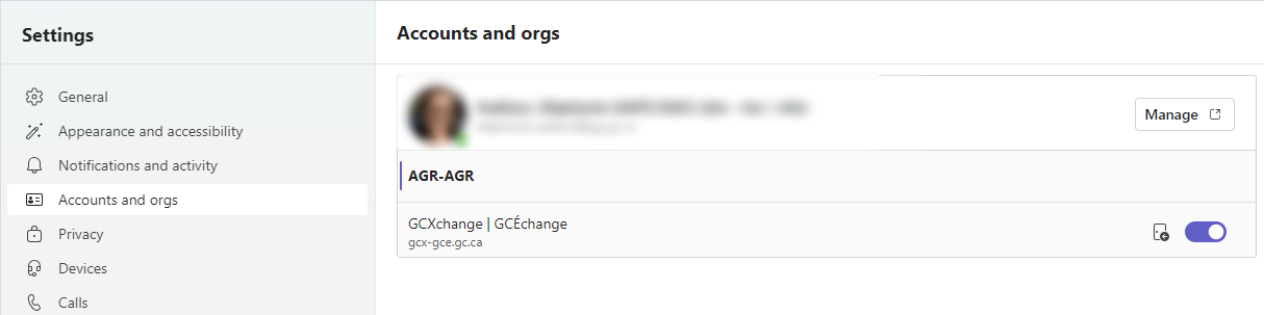
Add GCX account to account manager.
Add GCX account to account manager.
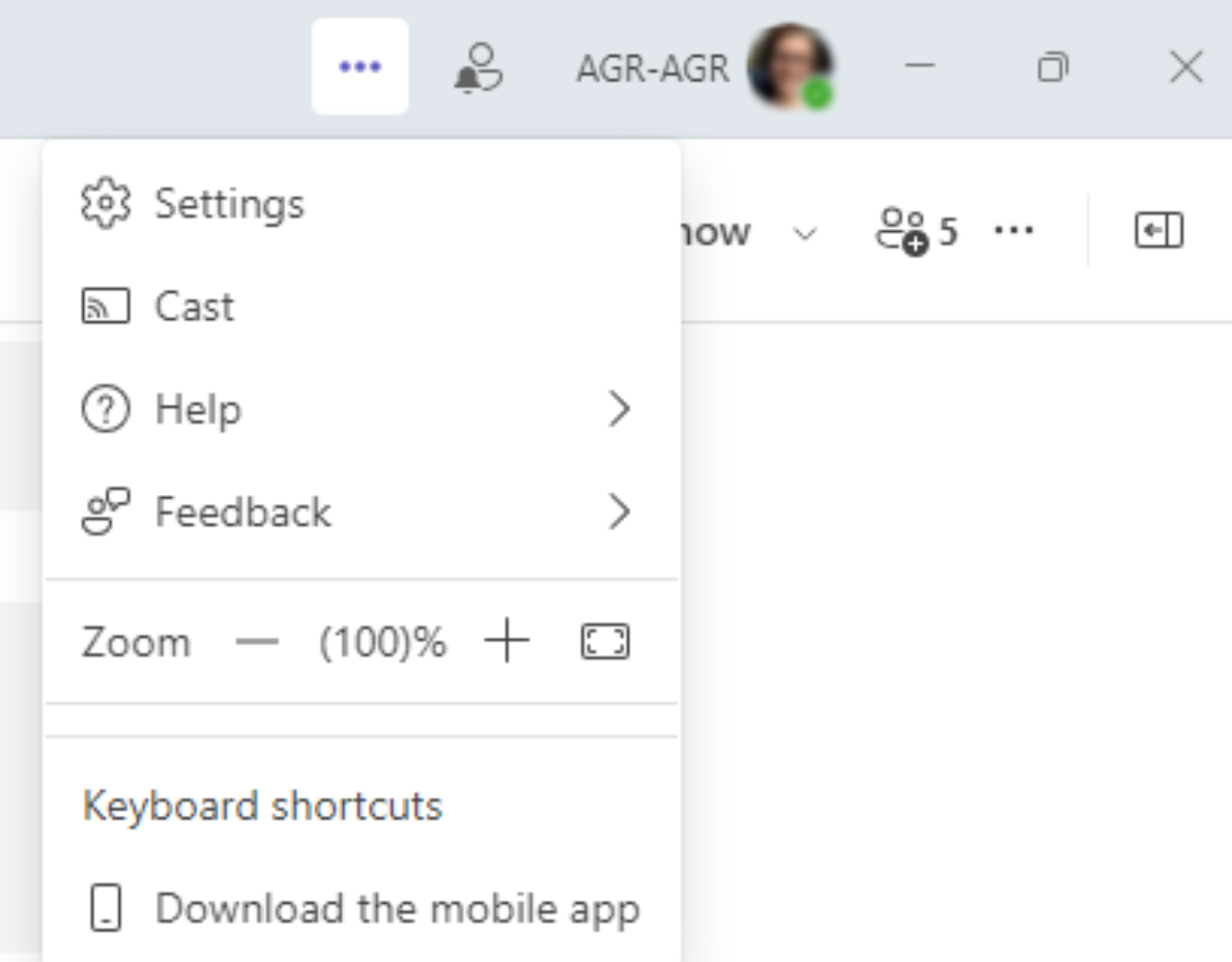
- Click on the ellipsis in the top right corner of the app (to the left of your profile picture) and select “Settings”
- Select the “Accounts and orgs” option from the pane on the left side of the screen. Then, use the toggle button that is in line with “GCXchange” to enable the account.