| From July 2026 | Microsoft will remove the ability to use SharePoint Alerts; existing SharePoint Alerts cannot be extended anymore and will not work anymore. Microsoft 365 customers will be better served by modern notification solutions based upon the SharePoint Rules. |
FIND your DOCUMENT LIBRARY
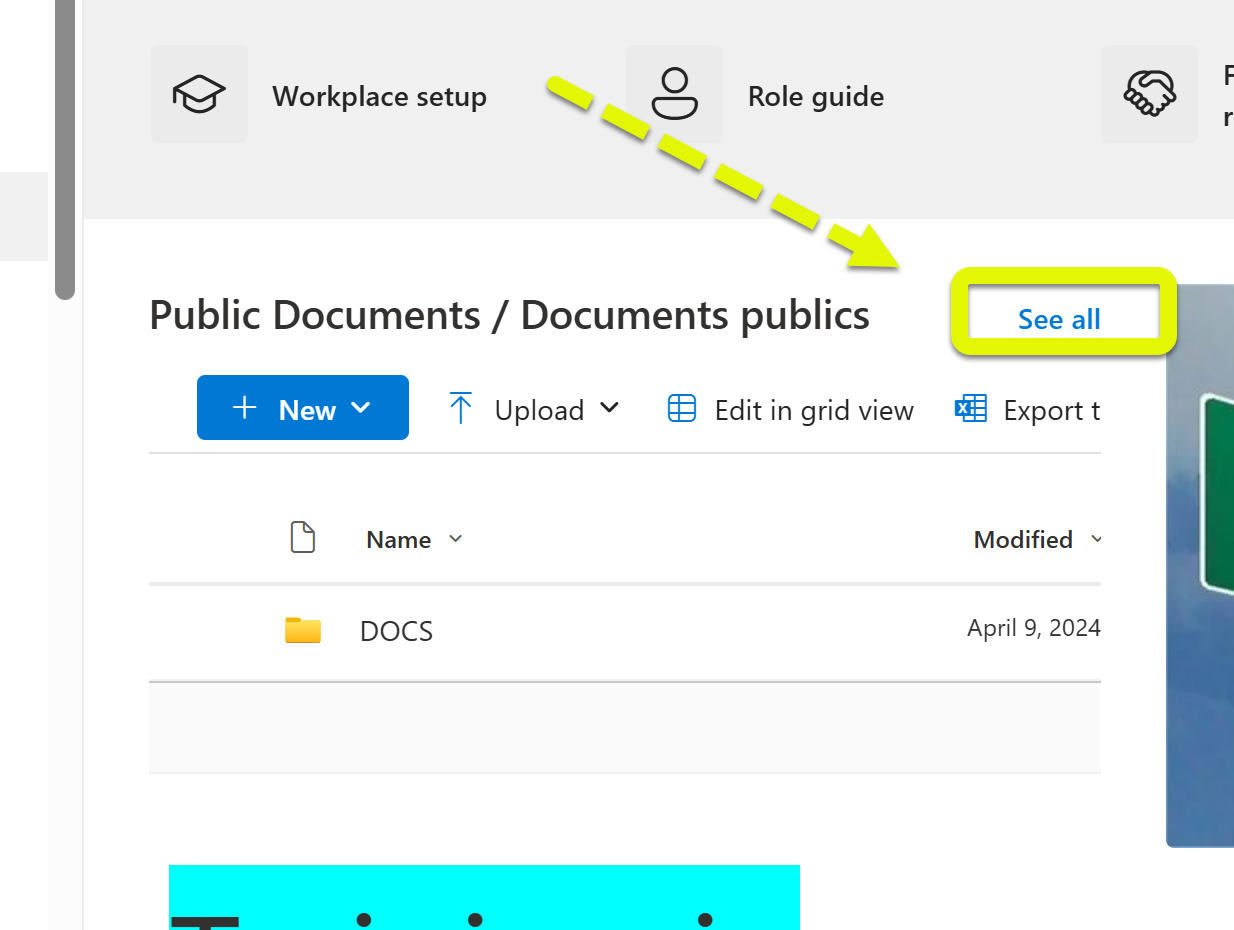
1) Make sure you are in your document page and not document webpart. If you see a 'see all' button click on it!
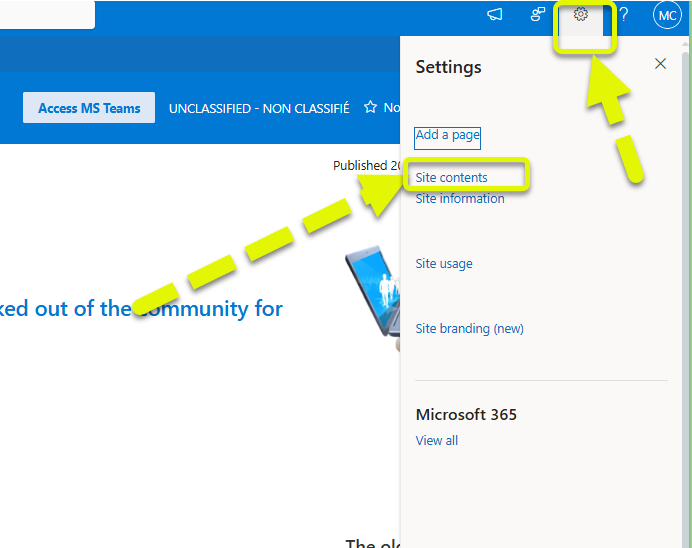
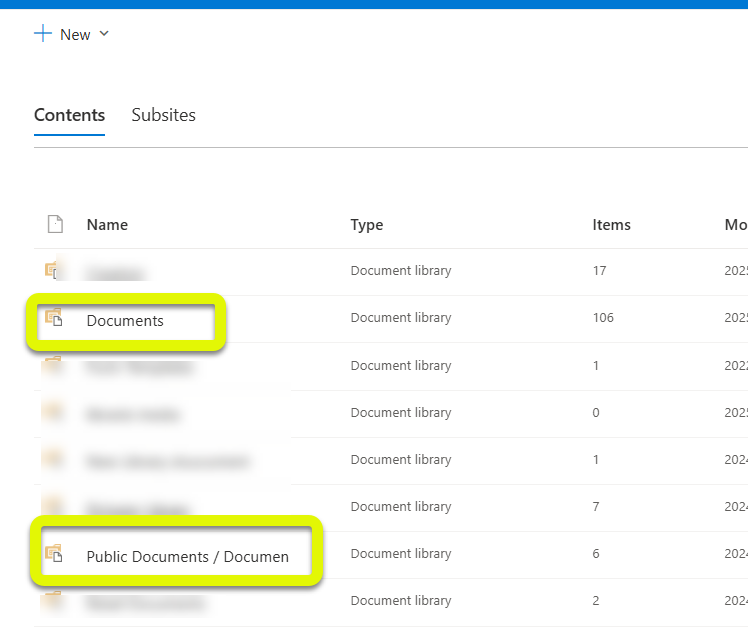
2) Try to access your document section from your cog, site contents and then documents?
If you are a group owner you should see the setting cog, you may need to refresh the page or wait for the page to load for it to appear.
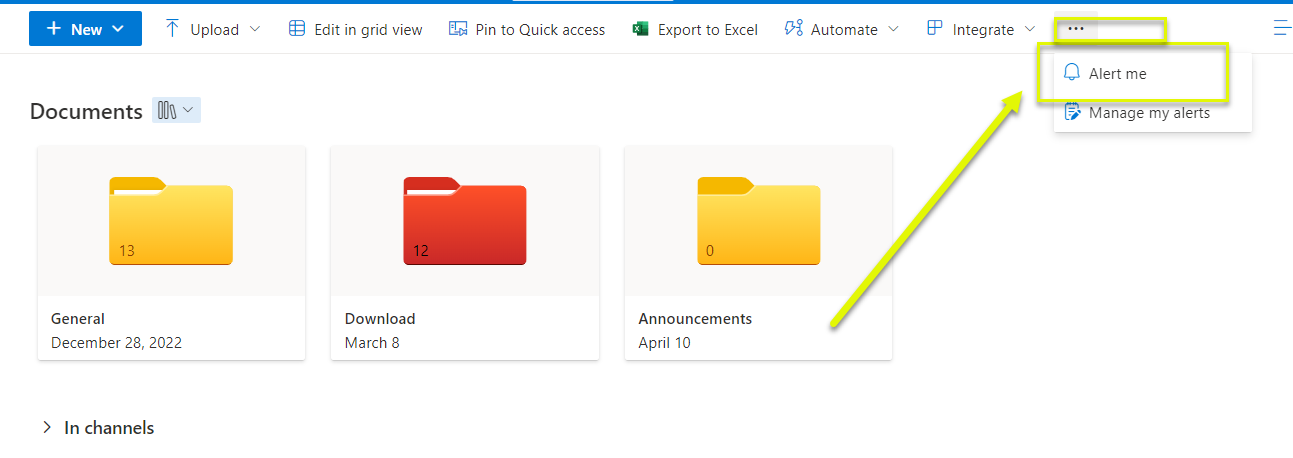
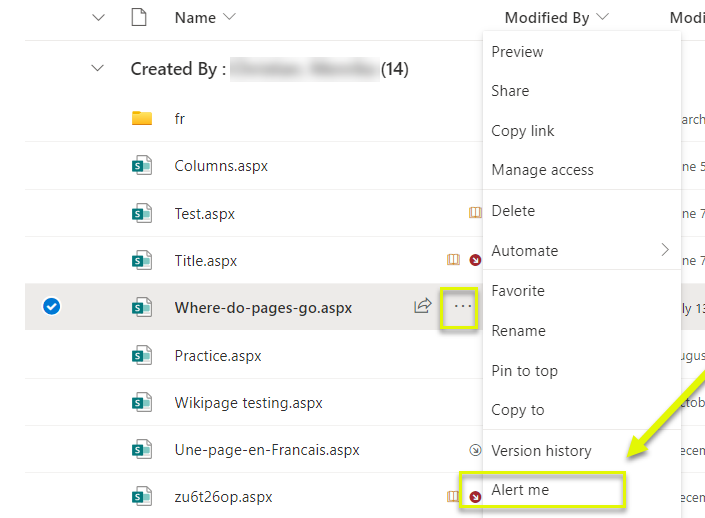
A. To receive alerts for your the files/documents/lists page. (3 dots/ellipsis - alert me).
B. For individual page edits you would go to your site contents - site pages - the page in question - 3 dots/ellipsis - alert me
a.
b.
Managing alerts
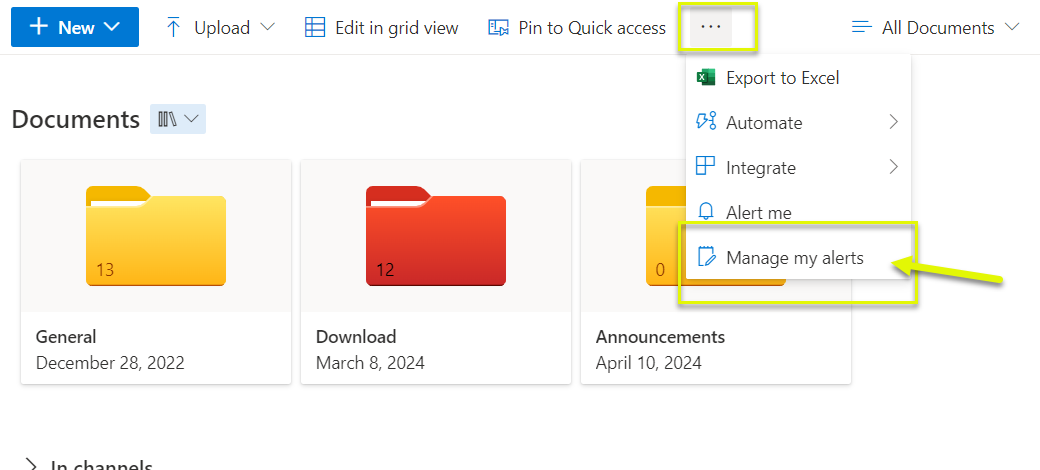
To mange your alerts for your site you would go to your document library page or list and click on the 3 dots/ellipsis- manage my alerts
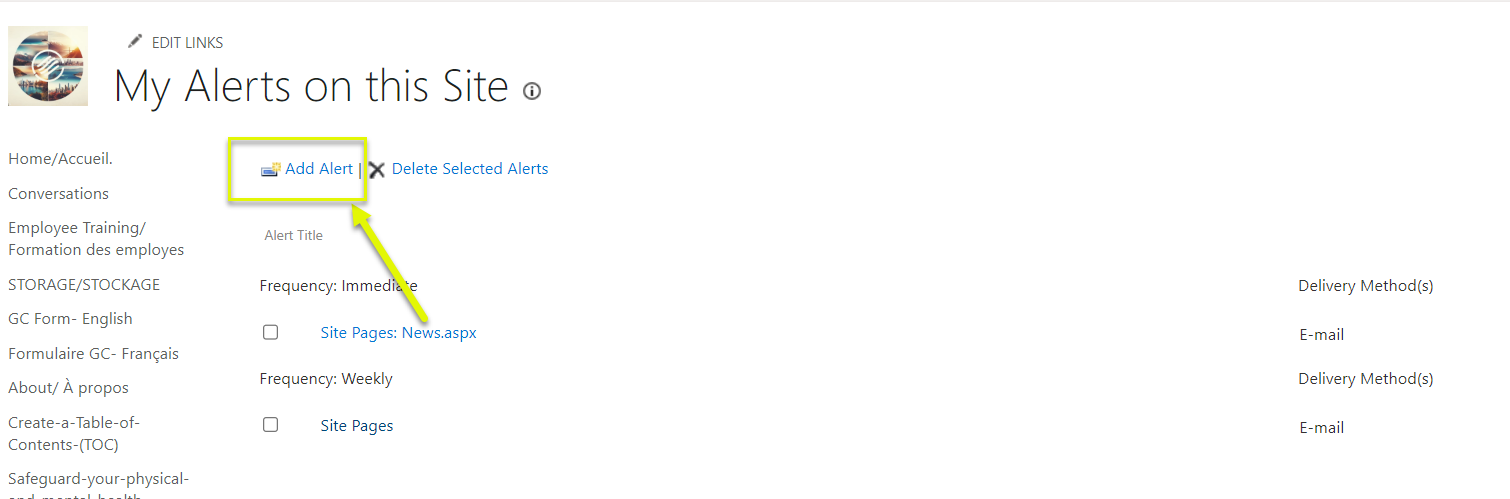
You can either add a new alert or edit an existing alert setting.
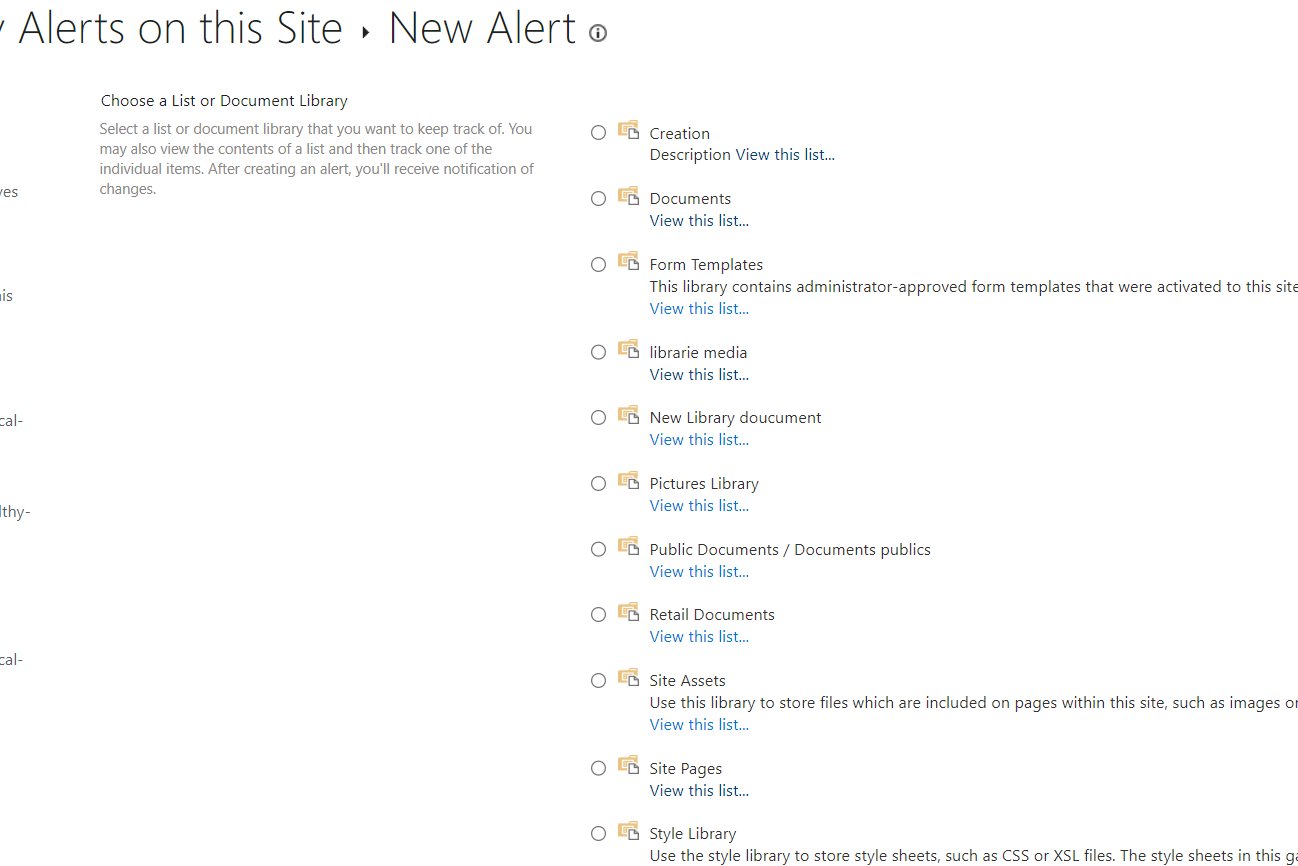
Select which of the available lists you want to manage.
Specify what type of changes you want to be alerted on and the frequency of alerts.
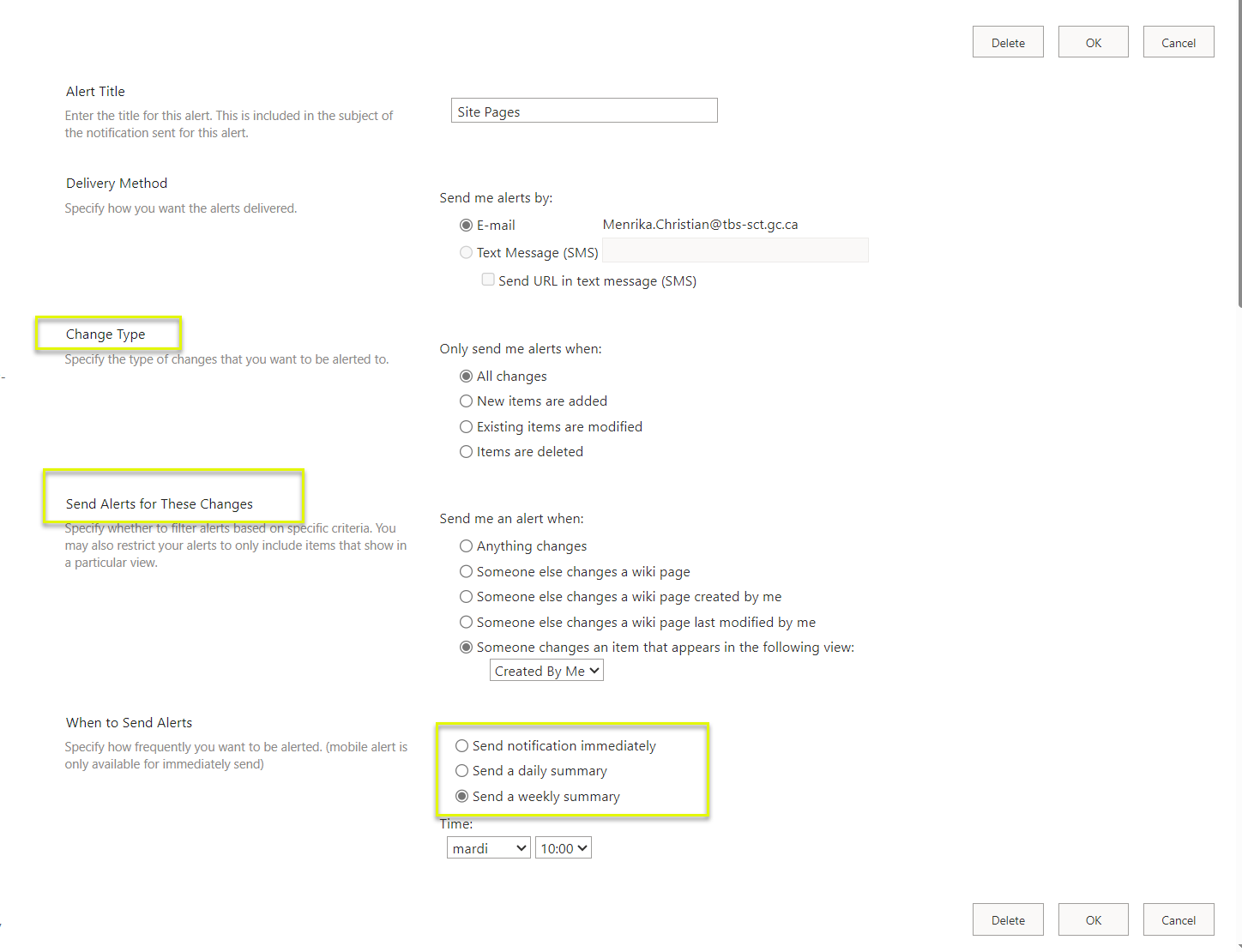
Once satisfied, don't forget to save.