If the Language toggle on your community is not enable you can start with enabling it.
This is what it should look like on each of your pages.

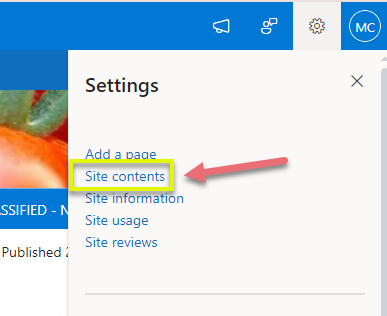
To enable it you need to go to your site contents on the right cog of your page,
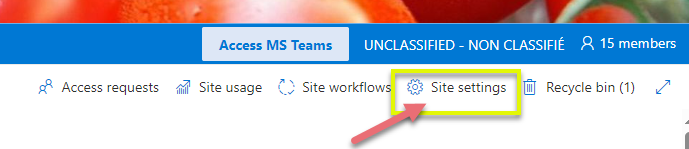
Then go to the site settings,
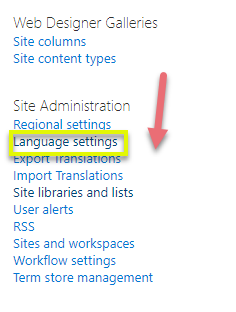
Then to the Language settings under Site Administration
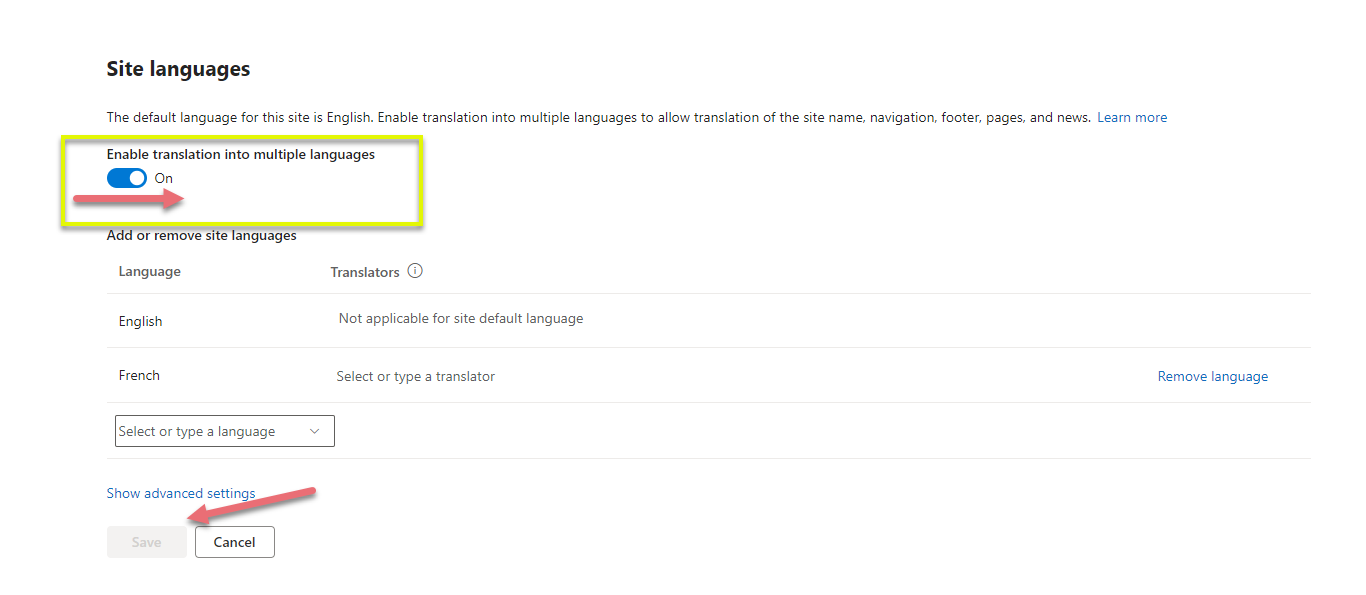
Enable and save
Here are some instructions for using the language toggle. Please let us know if you were able to follow them, as we are still in the process of editing them and user feedback is appreciated:
We strongly recommend you have the English version of the page complete before translating it, so that you do not have to edit both pages at the same time.
For the navigation pane on the left-hand side of your community page, you will no longer have to have bilingual page titles such as “Home/Accueil”, as you can make separate Home and Accueil pages once the language toggle is turned on. Long titles in the navigation page get cut off and are difficult to read by users. Using shorter descriptive page names makes it easier on users to see your content. By using the language toggle, you should be able to shorten the length of your titles!
View your community as a community owner.
In the top bar for each page, you will see the following headings:
New
Translation
Page details
Click on Translation. (We know that "translation" is not what this button actually does, but this is a Microsoft hard-coding and impossible to change!)
You will see which versions of the page exist. If the English version exists, there will be the option of creating a French version (and vice versa).
Click on create.
A new French (or English) version will be created as a draft. It will replicate your layout. You will see your content in English (or French) and you will have to manually edit it to change the text to French (or English).
If you go to the Site Contents section, you will see a new folder FR where the pages created via the Translation process are stored.
Once you have the pages translated, if a viewer’s language settings are in French, they will see the French version instead of the English one.