Click on community Teams you want to leave

Open your community MS Teams on web browser
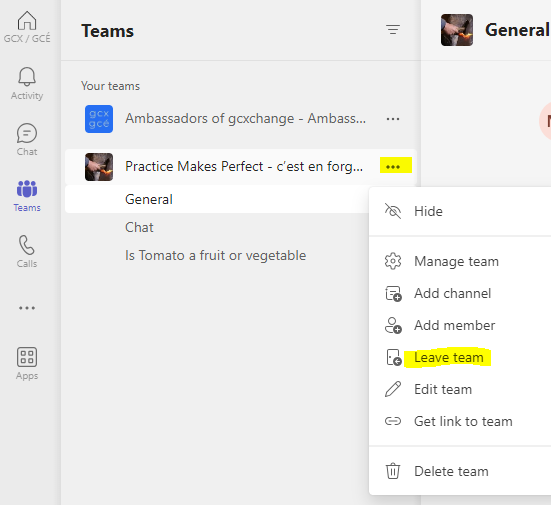
Locate the community's name, click on 3 dots in front of the community's name and click on Leave
Modified on: Thu, 11 Jul, 2024 at 10:05 AM
Click on community Teams you want to leave
Open your community MS Teams on web browser
Locate the community's name, click on 3 dots in front of the community's name and click on Leave