Please note that this CAN NOT be undone
- Go to your GCX community
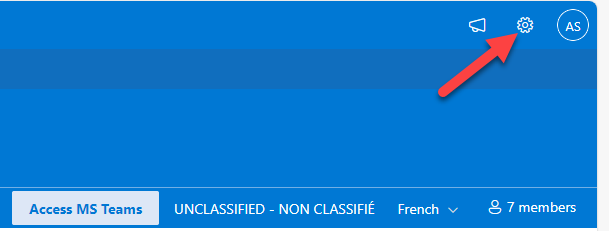
- Click on the "gear" icon in the upper right (settings)
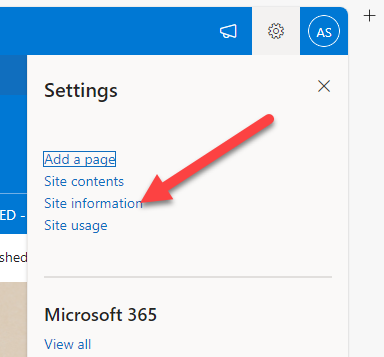
- Click on Site Information
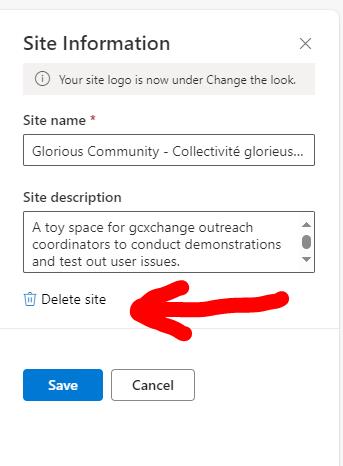
- In Site Information click on Delete Site (screen capture below)
Please note that this CAN NOT be undone
Modified on: Thu, 12 Dec, 2024 at 10:22 AM
Please note that this CAN NOT be undone
Please note that this CAN NOT be undone